
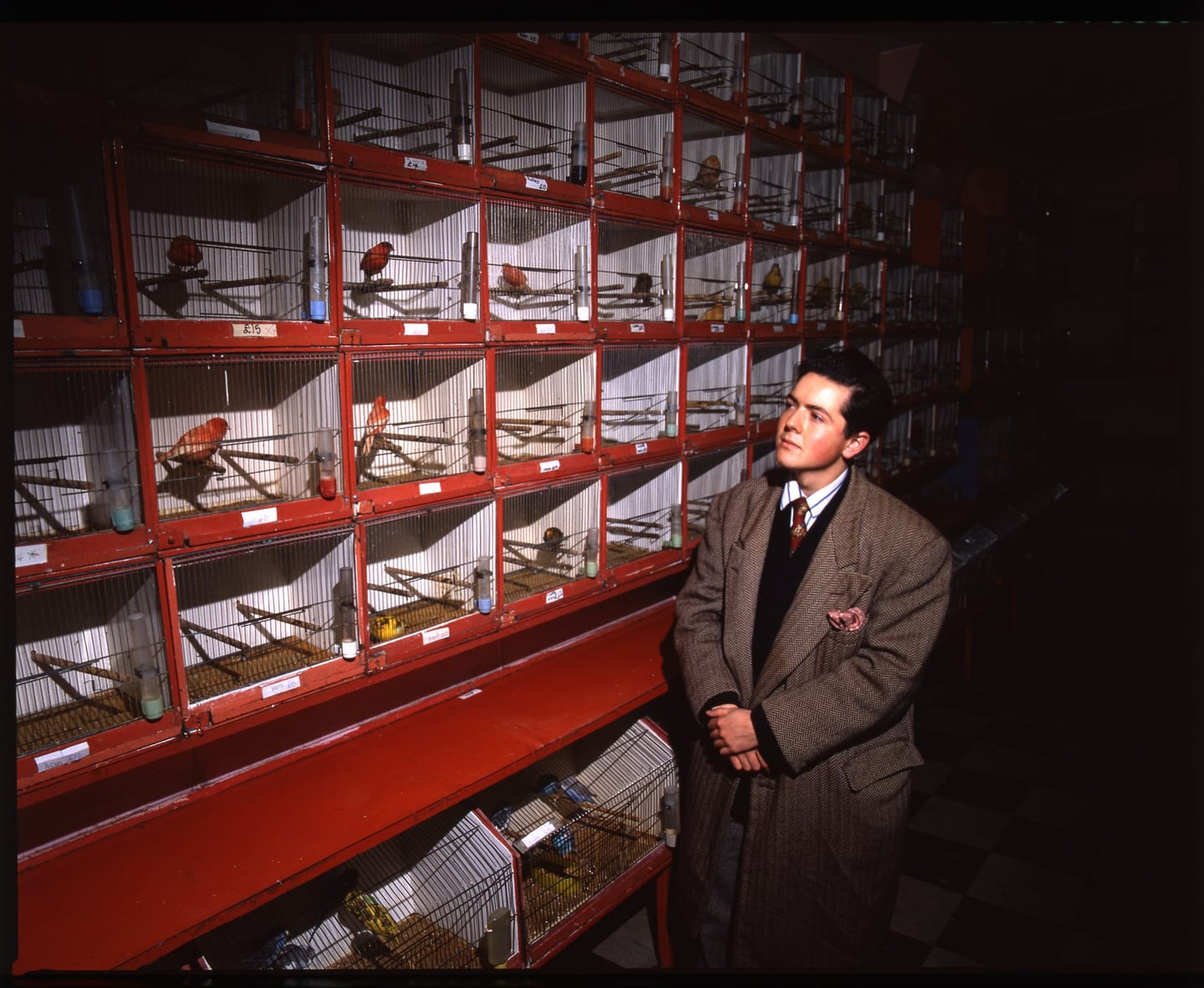
Alt text is written for someone who cannot see the picture. A training caption is written for a model that can see nothing else. The discipline is the same: say what is there, and do not guess the rest.
The best alt text and the best training caption obey one rule: describe what the photograph shows, and attribute everything else to a record.
Alt text is the description a screen reader speaks in place of an image. For a photograph in an archive it should say, in about fifteen words, what is visible, and it should stop there. That much is standard accessibility practice. The angle of this piece is that the same sentence has acquired a second reader. A description written carefully enough for a blind visitor is very nearly the description a machine learning engineer wants attached to a training image, and for the same reason: both readers depend entirely on the words being true. An archive that writes one well has written most of the other.
What is alt text, and what is it for?
On a web page, every image can carry a text alternative. The Web Content Accessibility Guidelines make this their first success criterion, 1.1.1 Non-text Content, at Level A, the baseline level of conformance. People who use screen readers hear it. So does anyone whose images fail to load, and so does a search engine.
The W3C's tutorial on images sorts them by purpose. A decorative image gets an empty alternative so that assistive technology skips it. A functional image, such as an icon that is also a button, is described by what it does. An informative image gets "a short description conveying the essential information". Archive photographs are almost always informative: the picture is the content.
The same tutorial makes a point that archives tend to overlook. Authors decide on the alternative according to how the image is used, its context and its content, and the same image may need different text on different pages. A photograph of a perfume bottle illustrating an essay on glass needs the glass described. On a page about a fragrance house it needs the label.
How is alt text different from a caption or a long description?
These are three texts with three jobs, and trouble starts when one is made to do another's.
| Text | Answers | Length | Source of truth |
|---|---|---|---|
| Alt text | What does the picture show? | A phrase, about fifteen words | The image itself |
| Long description | What would I notice if I looked for a minute? | Two sentences to several paragraphs | The image itself |
| Caption | Who, where, when, and whose picture is it? | A sentence or two | The record: job sheets, sleeves, the photographer's notes |
| Keywords | How would someone search for this? | A list of terms | A controlled vocabulary |
The lengths come from the Cooper Hewitt, Smithsonian Design Museum's Guidelines for Image Description, the most practical museum guidance we know. Alt text there is a sentence fragment of about fifteen words, with no full stop unless it is a complete sentence. The long description uses complete sentences and grows with the complexity of the image.
The last column is ours, and it is the one that matters. Alt text and long descriptions are made by looking. Captions are made by knowing. A cataloguer who can see a man in a dinner jacket cannot see his name, and a text that mixes the two kinds of statement cannot later be checked. We make the same separation for caption writing in captioning archive photographs from contact sheets.
How do you write alt text for a historical photograph?
The Cooper Hewitt guidelines give an order of work that suits photographs well.
- Start with the most important thing and move outward to detail. Subject, then setting, then anything notable about how the picture is made.
- Keep spatial order so a listener can assemble the image: foreground to background, or left to right.
- Skip the lead-in. The guidelines advise avoiding phrases such as "This is an image of". A lead-in that names the medium is acceptable, and for an archive it is useful: "Black-and-white photograph" or "Polaroid print" tells the listener something a sighted visitor takes in at once.
- Transcribe visible text in full, in quotation marks: shop signs, packaging, a slate held up to the lens.
- Use ordinary colour words.
- Do not repeat the caption. If the caption says New Bond Street, 1976, the alt text need not.
Historical photographs add two temptations. One is to describe the period instead of the picture: "a typical 1970s scene" tells the listener what to think and nothing about what is there. The other is to date things by eye. If the date comes from a record, it belongs in the caption with its source. If it comes from the cataloguer's guess about a hemline, it belongs nowhere until it has been checked, a point that connects to why image models get the past wrong.
Some examples, invented for illustration. They do not describe particular frames in the archive.
Weak: Image of an old phone.
Better: Cream push-button telephone with a coiled cord, on a white background, lit from the left
Weak: A glamorous 1980s fashion shot.
Better: Woman in a red wide-shouldered jacket leaning on a studio wall, looking past the camera
Weak: Famous guitarist on stage.
Better: Guitarist in a dark suit playing under blue stage light, seen from the audience (with the name, venue and year in the caption, from the record)
How should you describe people without guessing who they are?
This is where accessibility guidance and data protection point the same way.
The Cooper Hewitt guidelines say to describe features that are immediately noticeable, on the principle that what a sighted viewer can see should be shared. On age, they suggest broad terms: child, teen, adult, older person. On gender, make no assumptions; use "person" where it is not clear or known. On skin tone, they recommend non-ethnic terms such as light-skinned or dark-skinned where clearly visible, and ethnic identity only when it is known and verified. On identity, a recognisable person may be named as well as described, while naming someone who is not a public figure may be inappropriate where the context gives no reason for it.
For an archive we would tighten that into a rule: appearance from the image, identity from the record. The alt text says what the person looks like and is doing. The caption says who they are, if and only if a contemporaneous source says so, and ideally says what the source is. "Catalogued as" is an honest phrase. Nobody should be named because a cataloguer, or a face-matching tool, thinks they look like somebody.
There is a legal edge to this as well as a courteous one. A name attached to an image of an identifiable living person is personal data. We discuss the implications in GDPR, images and AI training.
Why does alt text matter to machine learning?
Image models learn from pairs of pictures and words, and for most of the pictures on the web the words are poor. OpenAI's paper on DALL-E 3 reports that its authors trained on a mixture of 95% machine-written captions and 5% original ones, having found that captions scraped from the internet were often incomplete or simply incorrect, omitting objects, positions, counts, colours and visible text.
Compare that list of omissions with the instructions above. Subject, setting, spatial order, colour, transcribed text: accessibility guidance asks for exactly what web captions leave out. A long description written to museum standards is, in effect, a dense caption with a named author.
What it adds that a machine-written caption cannot is restraint. A captioning model will cheerfully name the decade, the brand and occasionally the person. A trained describer says what is visible and marks the boundary. For a dataset, that boundary is valuable: it lets a developer use the visual description freely while treating names and dates as separate, sourced fields. Our guide to image captions for machine learning goes into the structure.
What house style serves both readers?
Ours, in seven lines.
- Write alt text of about fifteen words describing what is visible. Start with the medium where it informs: black-and-white photograph, colour transparency, Polaroid print.
- Write a long description only where the image repays it, in spatial order.
- Keep the caption separate, and put every fact that cannot be seen into it, with its source.
- Appearance from the image, identity from the record. No names from faces.
- No period adjectives, no judgements of beauty, no inferred emotions.
- Record who or what wrote each text, and when: a cataloguer, the photographer's notes, or a model whose output a person has checked.
- Store each text in its own field so that it travels.
On the last point, the IPTC Photo Metadata Standard provides two accessibility properties, Alt Text (Accessibility) and Extended Description (Accessibility), distinct from the long-standing Description field that holds the caption. Putting each text in its proper field means a website can output the alt text automatically and a dataset can export the three separately. Our captions and keywords tool writes the title, caption and keywords into a JPEG's XMP without recompressing the picture; it does not write the two accessibility fields, which are best filled from the catalogue.
Where the Robert Harper archive stands
The Robert Harper Photograph Library currently describes its holdings at the level of the folder: 503 entries in the inventory and 330 described collections online. Description at the level of the individual photograph, including alt text, largely lies ahead, because more than half of the archive is still on film and has yet to be scanned. The inventory's counts, 95,487 unique photographs in all, have not yet been reconciled frame by frame.
The house style above is the one we intend to apply, and the dataset card states what descriptive data exists now and what does not. Where the inventory names a person or a brand, it is a catalogue description and a lead for research, not an identification we have verified in each frame.
Cataloguers, accessibility specialists and data teams with experience of describing photographs at scale are welcome to make contact through digitisation partners.
Frequently asked questions
How do you write alt text for a historical photograph?
Describe what is visible in a short phrase of around fifteen words, starting with the main subject. Name the medium if it matters, such as a black-and-white photograph. Leave dates, names and places to the caption unless they are needed to understand the image, and never infer identity, relationships or emotion from appearance alone.
What is the difference between alt text and a caption?
Alt text replaces the image for someone who cannot see it, so it describes what is visible. A caption accompanies the image for everyone, so it supplies what cannot be seen: who, where, when, and the credit. They should not repeat each other. A screen reader user hears both, one after the other.
Should alt text name the people in a photograph?
Only when the identification comes from a reliable record, and usually in the caption, with the alt text describing appearance. Guidelines from Cooper Hewitt say a recognisable person may be named and described, and that naming someone who is not a public figure may be inappropriate. Never identify a person from their face alone.
How long should alt text be?
Short. The Cooper Hewitt guidelines suggest a sentence fragment of about fifteen words for alt text, with a separate long description for detail, running from a couple of sentences to several paragraphs depending on the image. W3C sets no fixed limit and says the appropriate text depends on how the image is used.
Can alt text be used as training data for image models?
Descriptions written to accessibility standards are well suited to it, because they state visible content plainly and avoid speculation. They should be kept distinct from captions, labelled with who or what wrote them, and handled under the same rights and privacy review as the images, since names of identifiable people are personal data.
Sources
- W3C Web Accessibility Initiative: Images Tutorial
- Cooper Hewitt, Smithsonian Design Museum: Guidelines for Image Description
- Betker et al., Improving Image Generation with Better Captions (OpenAI, DALL-E 3 paper)
- IPTC Photo Metadata Standard specification (accessibility properties)
- IPTC NewsCodes: Digital Source Type vocabulary
Published by Archive.London. Corrections are welcome under our editorial policy.